One vault. Every login. Zero passwords to remember.
Generate uncrackable passwords, store them encrypted on your device before they ever leave it, and autofill them across every browser and every device you own. Weak, reused, or leaked, we tell you the moment something needs your attention.
- Zero-knowledge, end-to-end encrypted vault
- Autofill on iOS, Android, macOS, Windows, and every major browser
- Weak, reused, and breached password alerts
- Passkey support for the sites that already offer it
4.6/5 from 5,347 reviews
- CHChasehank@365-protection.comStrong
- AMAmazonhank@365-protection.comStrong
- NENetflixhank@365-protection.comWeak
- GIGitHubhank@365-protection.comReused
Everything you need to stop reusing passwords
A password manager should be invisible once it is set up. This one is.
Uncrackable passwords
One click generates a unique 20+ character password with symbols, numbers, and mixed case. Impossible to guess, impossible to memorize, and you never have to.
Zero-knowledge vault
Your vault is encrypted on your device using AES-256 before it syncs. Even we cannot read what is inside. Lose your master password and no one, including us, can recover it.
Autofill everywhere
Native autofill on iOS and Android, a browser extension for Chrome, Safari, Edge, and Firefox, and a desktop app for macOS and Windows. Log in with a tap.
Breach and weak-password alerts
We monitor known breaches around the clock. The moment a password of yours leaks, we flag it in the vault and tell you exactly where to change it.

Zero-knowledge encryption, in plain English
Your master password never touches our servers. When you save a login, it is encrypted on your device with a key derived from your master password. What syncs to the cloud is unreadable ciphertext. If someone breaks into our servers tomorrow, they get a pile of encrypted garbage and nothing else.
- AES-256-GCM encryption, the same standard used by governments and banks
- PBKDF2 key derivation with 600,000 rounds, tuned every year
- Independent security audits published each year
- Open-source encryption core for anyone to review
- CHChasehank@365-protection.comStrong
- AMAmazonhank@365-protection.comStrong
- NENetflixhank@365-protection.comWeak
- GIGitHubhank@365-protection.comReused
Log in with a tap, not a copy and paste
Set up the vault once and it works everywhere. iOS and Android use their native autofill APIs, browsers get a lightweight extension, and the desktop app fills login forms in native macOS and Windows apps too. You stop typing passwords.
- Native iOS and Android autofill (no clunky in-app browser)
- Chrome, Safari, Edge, Firefox, and Brave extensions
- macOS and Windows apps fill native login prompts
- Face ID, Touch ID, and Windows Hello unlock the vault

The passwordless future, without the passwordless headaches
More and more sites support passkeys, the passwordless standard backed by Apple, Google, and Microsoft. 365 Password Manager stores and syncs your passkeys the same way it handles passwords, so you can log in on any device without the sync-limbo that native passkeys often get stuck in.
- Store passkeys next to your passwords
- Sync passkeys across every device you own
- One-tap sign in on supported sites
- Fall back to a strong password automatically if a site does not support passkeys yet

Weak, reused, or leaked. We tell you which.
The vault runs a continuous health check across every login it holds. Reused passwords, weak generators, credentials that showed up in a public breach: every one is flagged, ranked by risk, and paired with a one-tap fix that walks you to the exact site to change it.
- Live weak and reused password scoring
- Breach match against thousands of public leaks
- One-tap open-site-and-change flow
- Family sharing with per-item visibility, not just per-vault
Works on every device you own
Use the vault on your phone, laptop, tablet, and browser extensions. One account, unlimited devices, unlimited logins.
“I have not typed a password in months. It fills logins on my phone, my laptop, and the coffee shop kiosk. And it caught two of my old passwords in a leak I did not even know about.”
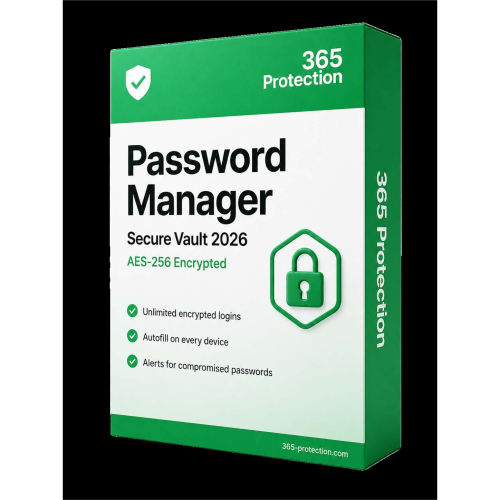
Get 365 Password Manager today
Generate, store, and autofill passwords on every device.
Monthly billing. Cancel anytime. 30-day money-back guarantee.
Frequently asked questions
Still curious? Reach our support team any time of day, any day of the year.
Your master password never leaves your device. We use it to derive an encryption key with PBKDF2 (600,000 rounds) and that key encrypts your vault locally. What syncs to the cloud is ciphertext only. Even if our servers were compromised, an attacker would have no way to read your data without your master password.
Stop remembering passwords. Start owning them.
365 Password Manager is included in the Ultimate plan. Import your old passwords in under a minute.